01
When you need to remember something
Write it down before you forget.
Start with the thought. Add a date, list, reminder, or voice note later if it needs one.
 MeroFlow
Tasks, dates, and everything between
Capture what needs doing, see what matters, and keep the good things ahead in view. Planning should not feel like another job.
Everything you need to
Everything in reach
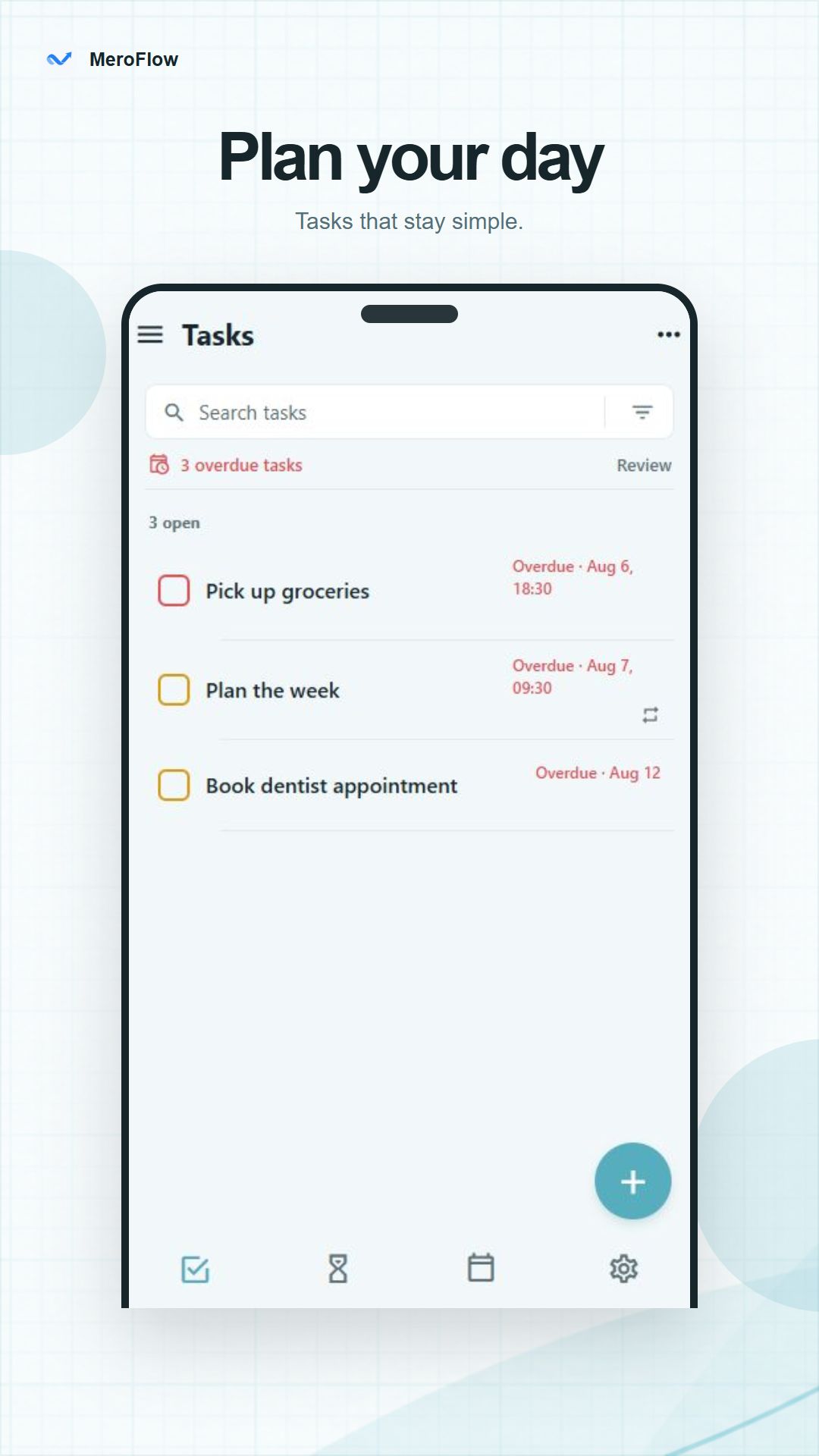
Move between what needs doing and what comes next. Each view has a job, and nothing gets in the way.
For everyday plans
Some things need doing today. Some repeat every Friday. Others are months away. MeroFlow keeps each one where it makes sense.
When you need to remember something
Start with the thought. Add a date, list, reminder, or voice note later if it needs one.
It happens every week
MeroFlow creates the next task, so you do not have to.
When everything feels important
The priority matrix separates urgent work from what can wait.
When the date is still a while away
Birthdays, trips, and milestones get their own countdown without crowding today's list.
Good questions
The useful details, without a wall of small print.
No. Open the app and start planning. There is no sign-up, profile, or password to remember.
Your tasks, notes, countdowns, settings, and voice notes stay on your device.
Yes. The planner works without an internet connection because your plans are stored locally.
Yes. You can add reminders and recurring schedules for the things that happen more than once.
You can add notes, checklists, dates, reminders, and optional voice notes when a task needs more context.
Deleted tasks go to Recently Deleted first, so you have a chance to bring them back.
Private by default
No account, ads, or analytics. MeroFlow keeps your tasks and notes on your device.
Coming soon to Android
MeroFlow is getting ready for Google Play.
Google Play · coming soon